• Click Here to Download XdN Tweaker •
What is it?
In short, it is a free tweaking program for Windows XP, Windows Server 2003 / 2003 R2, Windows Vista, Windows Server 2008, Windows Server 2008 R2, Windows 7, Windows 8, and Windows 2012.
On their blog, Claus Valca writes this about XdN Tweaker:
"Because maintaining a Windows system means more than just deleting files and folders. I selected this system-tweaking tool as it supports both XP and Vista systems in a single package. It does require the host machine have .NET installed. Other than that it provides a wealth of system adjustments and fine-tuning options Definitely needed in the professional system maintainer’s toolbox of applications."
Current Version: v0.9.3.0
Size: 388KB, January 2nd, 2013
(Windows 8, Windows 7, Vista, Server 2008, 2008 R2, 2012, and XP/2003. Both 32 and 64-bit.)
Don't want to install it? Here is the Zip File.
System Requirements:
- Windows XP, 2003/2003 R2, Vista, Server 2008, 2008 R2, Windows 7, Windows 8, or Server 2012.
- .NET Framework 2.0 if you are using Windows XP, Windows 2003/2003 R2, Windows 8, or Server 2012.
Microsoft .NET Framework 2.0 Service Pack 2
Windows Installer 3.1
(The .NET Framework 2.0 may requires this on XP and 2003/2003 R2.)
If you feel XdN Tweaker has helped you, please consider donating! Any amount will help. The traffic generated by this program has caused me to hit my bandwidth limit several times now, forcing me to pay more money to keep the site running. In September 2007 alone, my web site's server logs reported over 360,000 downloads of XdN Tweaker.
Screenshots of the program:
(click to see the full-sized image)
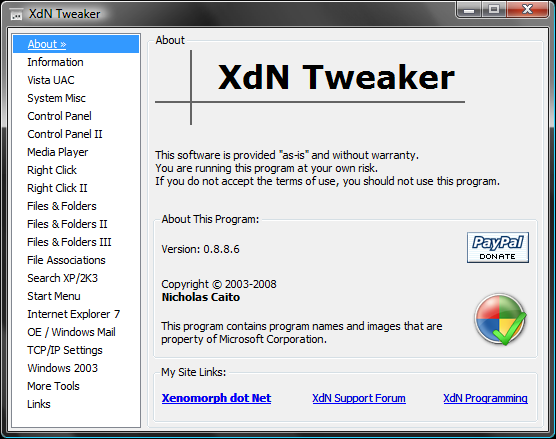
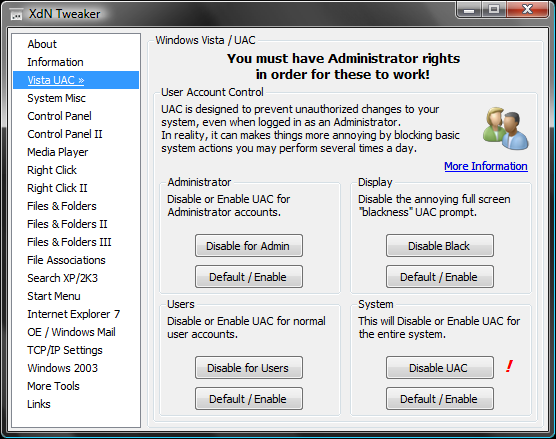
Featured on Lifehacker
Certified by Softpedia
Features:
- Changes the number of Folder views Windows saves.
- Resets the folder views Windows has saved.
- Add/Remove classic Windows 2000 user control panel icon.
- Disable/Enable ATI Catalyst Control Center right click on Desktop
(only for use if you have an ATI video card and have the Catalyst Control Center installed). - Disable/Enable 'SendTo' right-click menu.
- Allows you to adjust and tweak TCP/IP settings.
- Disable/Enable ZipFolders.
- Disable/Enable the Outlook Express/Windows Mail splash screen.
- Put the File menu above the Back/Forward buttons in IE7.
- Remove or Replace the Search box in IE7.
- Disable/Enable User Account Control prompts under Vista.
- Disable/Enable the "- Shortcut" text under Vista.
- Attempt to force Vista to better save folder views.
- Disable/Enable Windows Media Player Explorer context menus.
- Add/Remove "Take Ownership" to right-click menus under Vista.
- Disable/Enable the Documents item on the Classic Start Menu.
- Changes "Delete" to "Search..." on Recycle Bin.
- Turn off the annoying full screen "black" UAC prompt.
- Add/Remove the Network Connections icon to Control Panel
- Enable Classic Search in Explorer and Internet Explorer.
- Disable/Enable Shutdown Reason dialog under Server 2003.
- Disable/Enable Windows scanning AVI files for thumbnails.
- Remove/Restore hidden ASPNET user that prevents auto login.
- Add "Tweak UI" icon to Control Panel (if installed).
...and more!